What's new
Everything we've shipped, newest first. Currently on version 1.1, on the App Store.
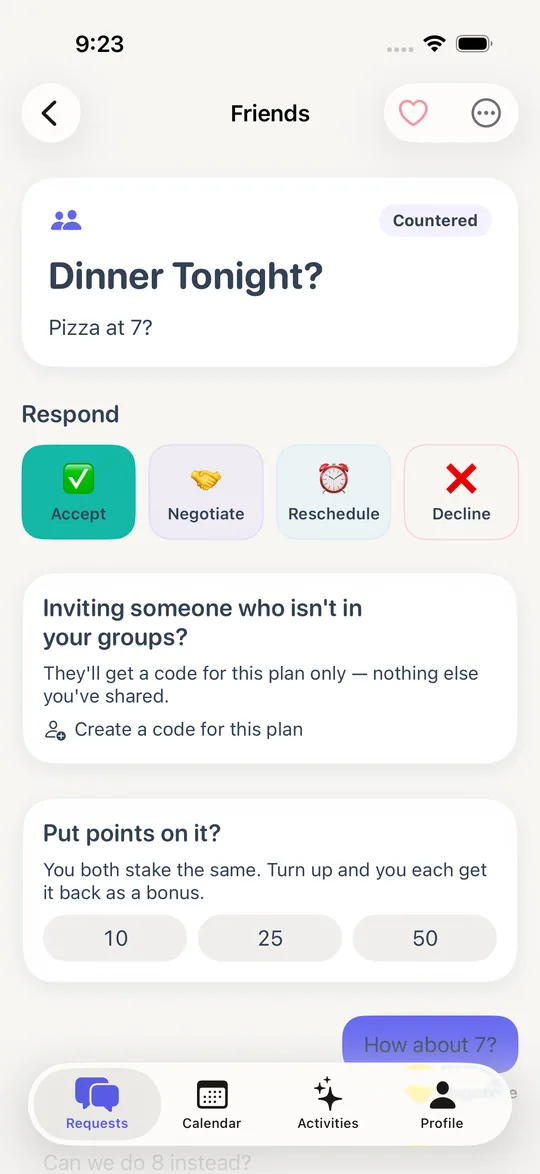
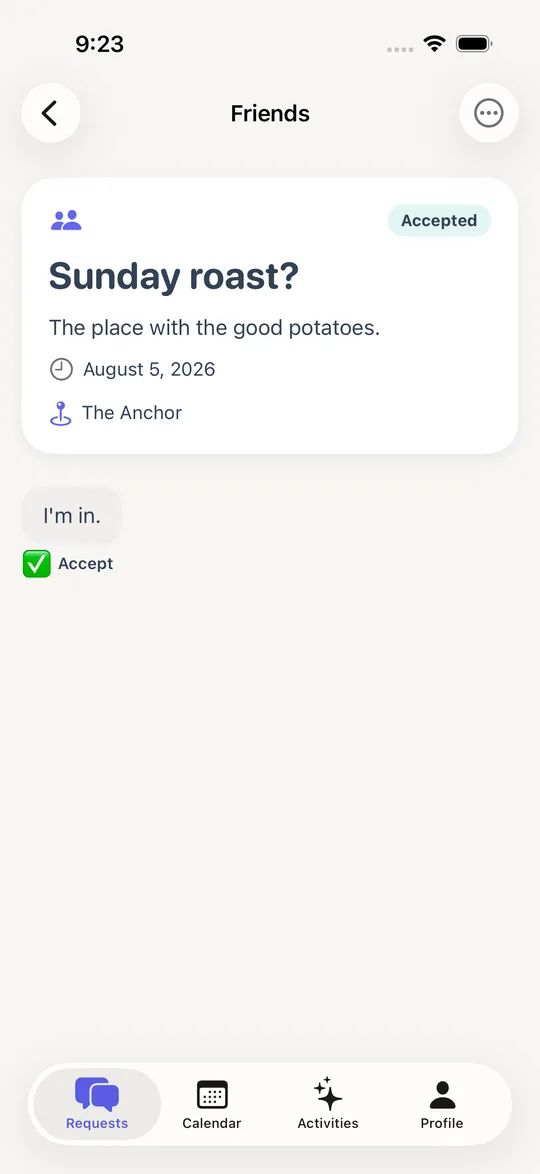
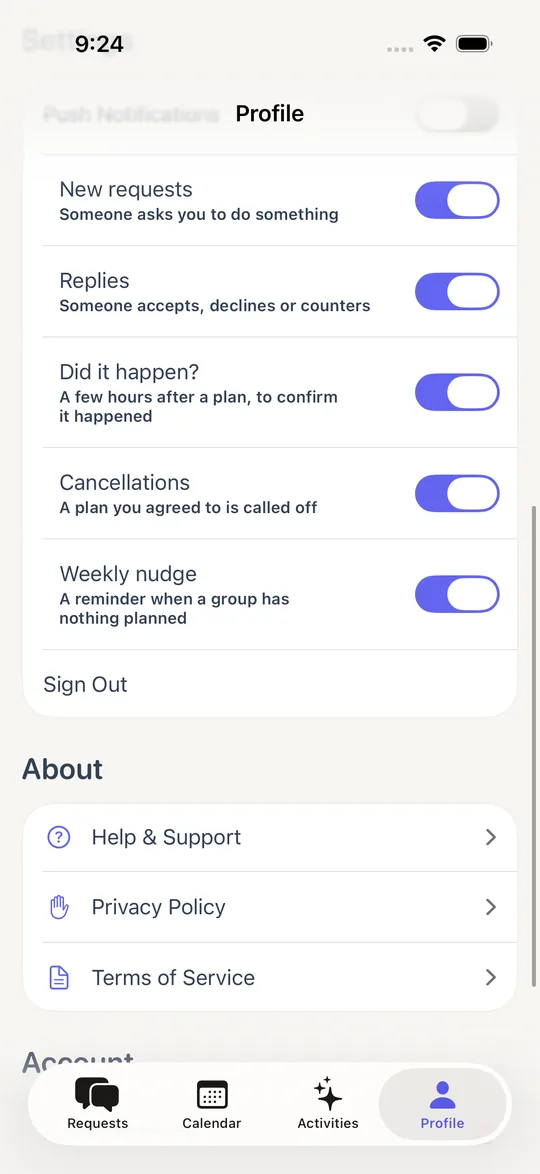
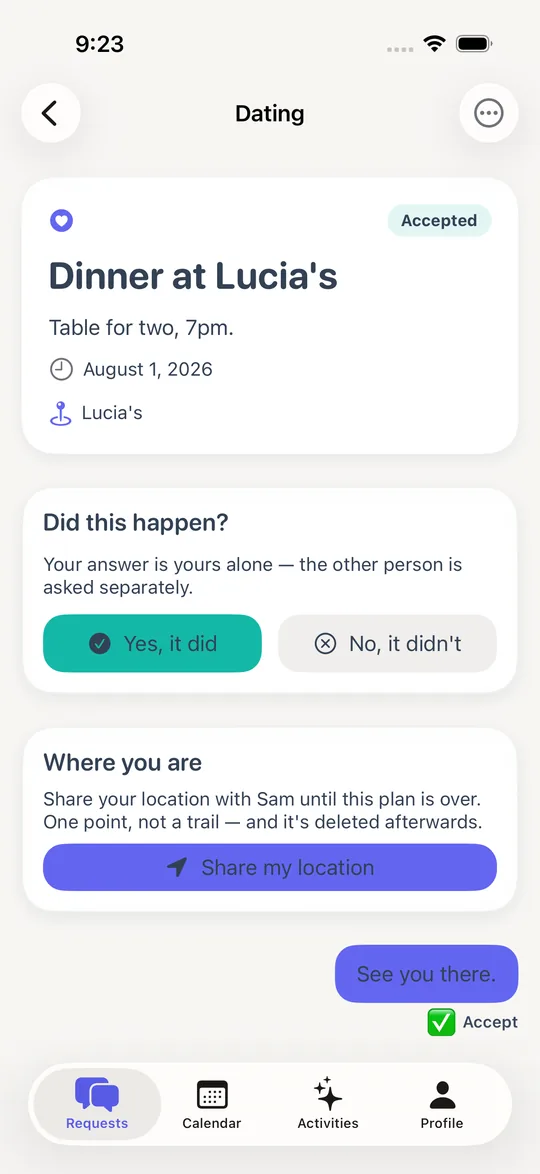
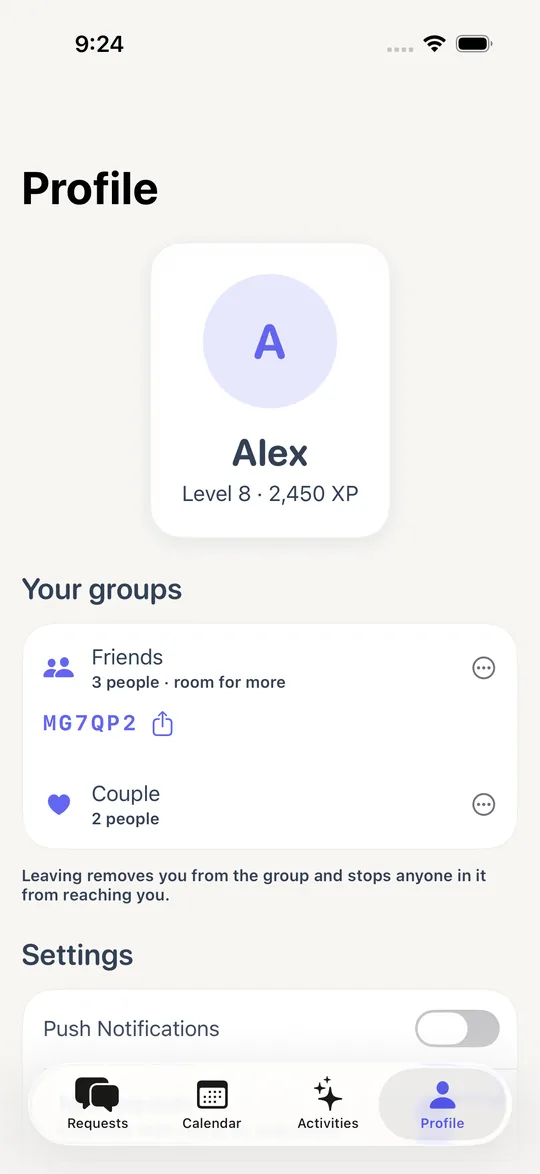
Screenshots show the app as it looks today.
8 September 2026 Latest
- Find somewhere to go, without leaving the plan. Ask for somewhere near you and the app suggests real places — food, drinks, somewhere to stay, something on. Each one shows a photograph, the address and the phone number before you commit to it. The search runs on your phone against Apple's map data: we send your location to nobody, and there is no third party involved.
- A plan can now be a trip. Plans used to be a single moment, which meant a weekend away and a Tuesday dinner looked identical. Now a plan can run from one day to another, fill every day it covers on the calendar, and carry a rough plan for each day. If it's somewhere with a different clock, it says the hour it happens there — "8:00 PM Central European Time" — instead of quietly translating it to yours.
- Plans that go quiet now get one nudge, not silence. A plan agreed three weeks out is exciting on the day you agree it and forgotten by the following Tuesday. The app notices when one has gone quiet and puts it back in front of you with a single tap that says you're still in — because nobody reopens a plan they've stopped thinking about.
- Plans look like what they are. Pick an icon when you make a plan, or tap a place and it picks its own, so a screen full of plans stops being a screen full of identical cards. Cards also say the day of the week and the time now — "Tomorrow, 8:00 PM" — rather than a date you had to work out.
- The time you picked is finally shown to everyone. The app asked you what time, saved it, and then displayed it nowhere. You could agree to a plan without either of you being able to see the hour it started.
- Notifications work. They never had. The code that receives them from Apple was attached to the wrong object, so the phone was told about every message and nudge and none of them ever arrived. Fixed and proven on a real device.
- A suggested time is checked against your calendar too. The clash warning used to appear only when proposing a plan, not when suggesting a different time for one — which is when a clash is most likely. You can also see who else in the group has blocked out that day while you're choosing, instead of finding out afterwards.
- Somewhere to take a plan two people remember differently. If one of you says it happened and the other says it didn't, there's now a way to say so rather than the disagreement sitting there permanently.
- Invites that survive. An invite code now works even if the person you sent it to installs the app fresh, and the app says what's actually wrong when a code doesn't work instead of failing quietly.
- Losing signal no longer signs you out. A dropped connection could log you out and invite you to make an account you already had.
- Text you couldn't read. Several buttons and the streak strip were white on a light colour — the completed days of your streak were at 2.16:1, well under the readable threshold. Every colour in the app was checked, not just the ones that were reported.
- Reporting somebody now works while your profile is still loading, and files against the person you actually chose.
- Cancelling Sign in with Apple no longer raises an alert reading "error 1001". Deciding not to continue isn't an error.
- Opening a plan no longer quietly asked for your location.
4 August 2026
- Turning up is now worth the most. The app kept saying the point was showing up for each other, and then paid you for agreeing to things — accepting earned 25, declining earned 5, and actually going earned nothing at all. Going is now the biggest thing you can do.
- Points you staked on a plan actually move. The card said "turn up and you each get it back as a bonus", and then said you'd both won them back, and nothing ever happened. It happens now. A stake you lose can cost you the points you have and never more than that.
- See how many of your plans really happen. Each of your groups now shows what share of them went ahead. It's the thing this app exists to change, and until now it never said it back to you. Nothing appears until there've been enough plans to mean something.
- Reporting somebody in a group now asks who. Before, it picked whoever it found first — which was right when a group was two people and quietly wrong once groups got bigger. If you reported the person who was harassing you, it could file the report against somebody else entirely.
- Saved plans can be unsaved. The heart filled and never emptied.
- The calendar keeps up. If somebody blocks out a day while you're looking at it, you see it happen instead of finding out after restarting the app.
- The weekly nudge works. Tapping it took you nowhere, and it was never sent to groups of more than two people despite the setting saying "a group".
- A shared location disappears when it's meant to. An old one could linger on screen and still open in Maps, pointing at where somebody was hours ago.
- The "Negotiate" button now says "Suggest", because opening a message box is what it does.
2 August 2026
- Groups can hold more than two people. Until now a group was a pair, full stop. Now a plan can go to several people at once — and if one of them can't make it, the night still goes ahead for everyone else.
- You can call off a plan you'd already agreed to. Before, once someone said yes, the plan couldn't be cancelled at all. If you cancel close to the time, the app tells you it counts as a late cancellation — before you do it, not weeks later.
- The other person hears "at short notice" when a plan is called off near the time, because that's the part people actually mind.
- The app is faster. Several screens were quietly loading the same thing up to six times over; now they load it once. Opening the app no longer waits on the network to decide whether you're signed in.
- Everything moves the same way. Animations were inconsistent across screens and some ignored the iPhone's "Reduce Motion" setting entirely. One system now, and it respects that setting everywhere.
- Replies in a conversation now appear as they arrive, instead of just being there.
- Fixed a Cancel button that was offered on plans it couldn't actually cancel — tapping it just returned an error. Found on a real phone, not in the simulator.
- Deleting your account now also removes your notification preferences, which were being left behind.
- We started measuring whether plans actually happen. The app now keeps a running count of how many agreed plans go ahead, and how many get called off early or at the last minute. It's anonymous — no names, no link to anyone — and it's the number restaurants care about most. We can't work it out later, so it starts now.
- Groundwork for booking a table. The part that doesn't need anyone's permission is in: suggested places now hand you a booking link with the time and party size already filled in. Booking without leaving the app needs a partnership; the app is built so that becomes a switch rather than a rewrite.
- You can talk about a plan without changing it. Before, every message you typed counted as suggesting a new time — so asking "which entrance?" on a plan three people had agreed to quietly undid the agreement. Now conversation is just conversation, and only attaching a time changes the plan.
- Replies, so a side conversation stays to one side. Answer a particular message and it tucks underneath it instead of pushing the plan down the screen.
- You can see when someone's typing, and whether they've seen the plan. The "seen" mark is per plan, not per message — nobody is watching which individual lines you read.
- Say when you're not free. Block out a day on the calendar and everyone in your group can see it, so nobody suggests a night you were never going to make. Only the days you block out are shared — the app never reads your calendar for this, and never uploads it.
- Your calendar already works, whichever one it is. The clash warning reads every calendar your phone has — iCloud, Google, work — as long as it's added in your iPhone's settings. We never connect to those accounts ourselves.
- Spontaneous invites got the rest of their controls. A description, a proper time and date, several people at once, and the option to invite someone who isn't on Middle Ground at all.
- A friendly scoreboard. In a group of friends, you can now see who turns up most. It never appears between two people — a ranking between partners is a weapon, not a game — and nobody gets a number until there are enough plans to mean something.
1 August 2026
- You choose what you're notified about. Five kinds of alert, each with its own switch. Nothing is turned on behind your back.
- The app asks if a plan happened. A few hours afterwards, so you don't have to remember to tell it.
- You'll know when a plan is cancelled, and why. Before, plans just quietly vanished.
- Share where you are. Around the time of a plan, with one tap. It's deleted when the plan's over.
- Put something on it. Both of you can stake points on a plan happening. Turn up and you both get them back.
- See who actually shows up. Built from plans that happened, not opinions. Partners can't see each other's.
- Invite someone to a single plan. A code that gets them into that plan only — not your group, and nothing after it.
- Suggested places when you say where you're meeting, instead of typing it out.
- A weekly nudge if you haven't planned anything with someone in a while. Once a week at most, and never when you've already got something booked.
- Suggesting a new time now works properly — say "Sunday instead?" and if they agree, the plan moves.
- Fixed the number on the app icon, which was missing plans waiting on you.
- Fixed screens flashing empty before loading, and rebuilt the plan screen, which was cramped.
31 July 2026
- Submitted version 1.0 to the App Store.
- "Did it happen?" The app now asks after a plan. Everything about who's reliable is built on that one answer.
- Cancelling asks why. The plan stays on the record instead of disappearing.
- Calendar clash warnings before you agree to something. Your calendar stays on your phone.
- Your progress survives a new phone — badges and history, not just the numbers.
- Separate progress for different activities. Getting good at cooking isn't getting good at travel.
30 July 2026
- Name your groups, each with its own invite code. With more than one group, the app could show the code for the wrong one.
- Two new kinds of plan: dates, and low-key nights in.
- One-tap plans for the things people ask constantly — what are we watching, what are we eating.
- Saved plans are easy to find again, and a plan can carry a place that opens in Maps.
18 – 26 July 2026
- The first versions people could use: making a plan, agreeing a time, accounts, and connecting with someone.